Free · Privacy-first · Chrome & Edge
Modify HTTP Headers.Without the Bloat.
A lightweight Chrome extension to modify request and response headers, redirect URLs, and mock API responses. No account required. Your rules stay in your browser.
- Free to use
- No tracking
- Local-only storage
Features
Everything you need for HTTP debugging
Modify headers, redirect requests, and mock API responses — all in a clean and minimal interface.
Modify request and response headers
Add, edit, or remove headers with ease.
Domain-specific rules
Apply rules only to specific websites or domains.
URL redirects
Redirect requests to different endpoints for local development or testing.
Mock API responses
Capture requests and return custom responses.
Profiles
Organize configurations and switch between environments.
Import and export
Back up or move your configurations using JSON files.
See it in action
A faster way to test and debug
Simple workflows for common use cases.
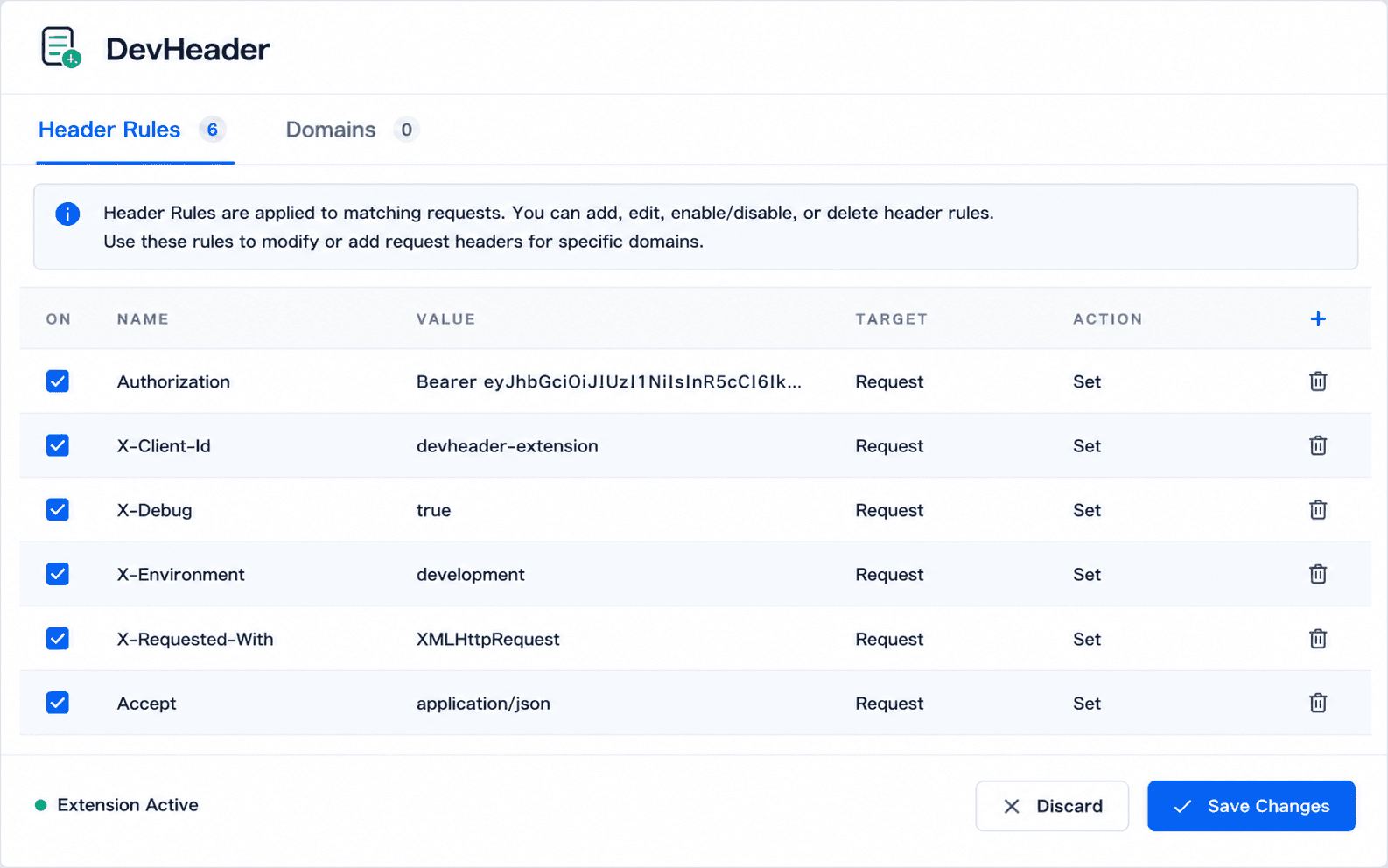
1. Modify headers in seconds
Add, edit, and toggle header rules — name, value, target, and action per row.2. Redirect requests
Rewrite request URLs with a few clicks.3. Mock API responses
Return custom responses with different status codes and payloads.Privacy & Security
Your data stays in your browser
DevHeader is designed with privacy in mind. It works locally, with minimal permissions, and does not collect your browsing activity.
Local-first
Rules and profiles are stored in your browser and never uploaded or synced.
Minimal permissions
Only the permissions needed for header and mock features.
No tracking
No analytics, telemetry, or remote code.
Why DevHeader exists
A privacy-friendly alternative to ModHeader
ModHeader, a popular HTTP header modification extension, was removed from the Microsoft Edge store in early July 2026 after researchers found dormant, encrypted domain-harvesting code in a recent build. DevHeader is a minimal, local alternative for modifying headers, redirecting URLs, and mocking API responses — without broad <all_urls> permissions, remote calls, or third-party trust.
FAQ
Common questions
Ready to simplify HTTP debugging?
Modify headers, redirect requests, and mock API responses without unnecessary complexity.

- No account required
- Free forever
- Privacy-first
DevHeader is free and independently developed. If you find it useful, consider supporting its continued development. Support DevHeader →