 DevHeader
Guides · Redirects
How to use a local API with the production frontend
By Marlon Maniti · Last updated
Short answer: redirect the frontend's API calls to your local server. In
DevHeader, add a Regex redirect rule that matches the production API URL
and keeps the path with a backreference, for example find
^https://api\.example\.com/(.*) and replace with http://localhost:4000/\1.
Your local server must then allow the page's origin with CORS.
When you need this
You're fixing an API bug that only shows up with production data or the production frontend, and you don't want to deploy the backend to check each change. Or you want to try a new endpoint against the real UI before the frontend team points staging at it.
Without an extension
- Run the frontend locally with its API URL set to
localhost. The most reliable option when you have the frontend's code and build. - Edit
/etc/hoststo point the API hostname at127.0.0.1. Affects every app on your machine, and HTTPS fails unless your local server has a certificate for that hostname. - A proxy such as mitmproxy or Charles with a map-remote rule. Powerful, and needs a trusted CA certificate installed.
With DevHeader
Install DevHeader, open the popup, and click Allow access once.
On the Domains tab, add the API's domain, for example
api.example.com/*, and save. The redirect only fires for requests to domains in this list.On the Redirects tab, add a rule:
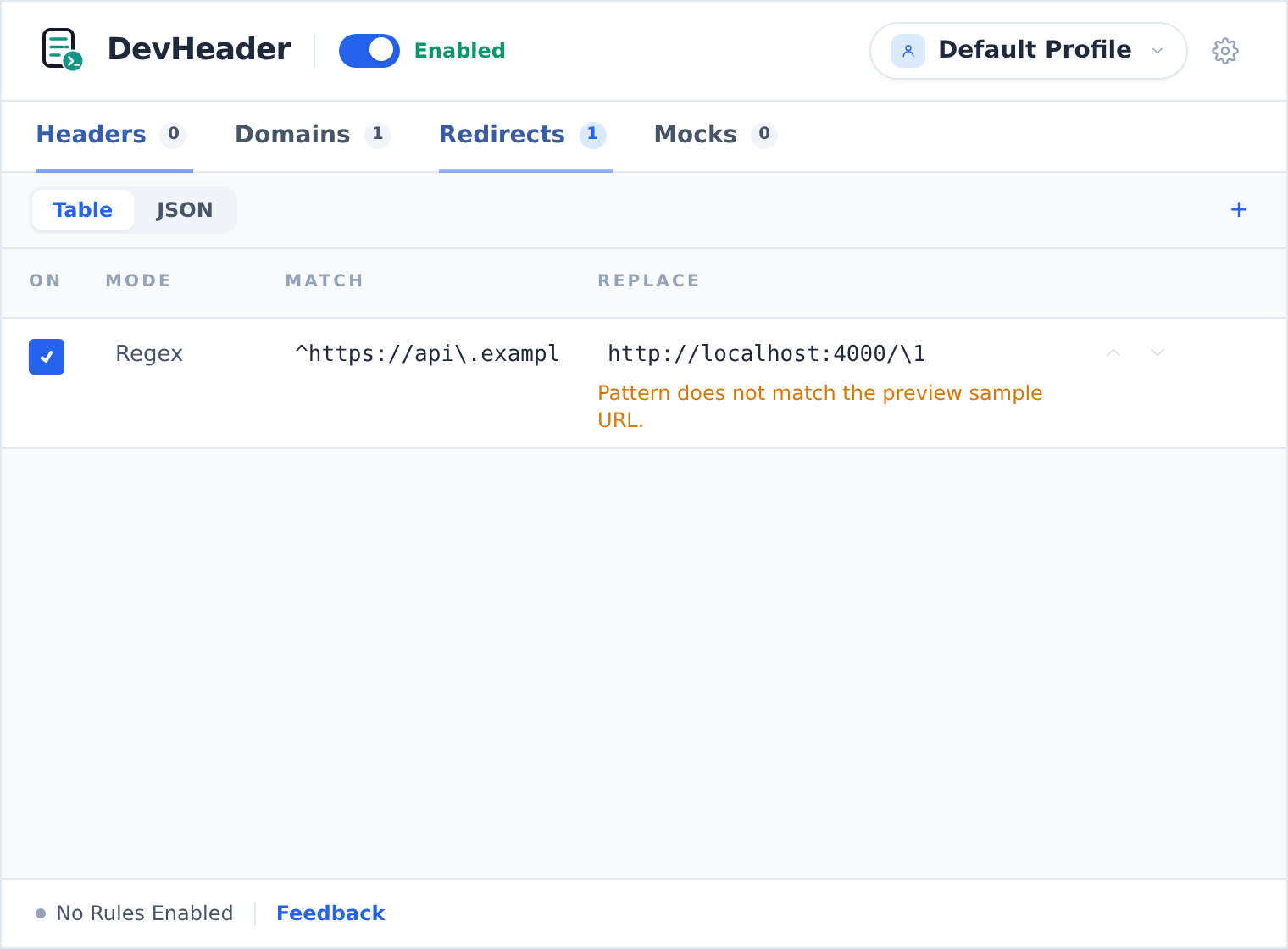
- Mode: Regex
- Match:
^https://api\.example\.com/(.*) - Replace:
http://localhost:4000/\1
The live preview shows how a sample URL is rewritten.
Click Save Changes and reload the site.
\1 carries over everything after the host, including the query string, so
https://api.example.com/users?page=2 becomes
http://localhost:4000/users?page=2. If your local server mounts the API
under a prefix, put it in the replacement: http://localhost:4000/v1/\1.
To redirect only API calls and leave other files on that host alone, open
the rule's filters and pick the xmlhttprequest resource type.
Make your local server accept the requests
The page's origin (https://www.example.com) is now calling
http://localhost:4000, which is a cross-origin request. DevHeader's tests
show the redirected call works when the local server sends
Access-Control-Allow-Origin, and is blocked when it doesn't. Allow the
production origin in your local CORS config, or add the header with a
DevHeader response rule (see the CORS guide).
Chrome's local network checks
From Chrome 142, a public site connecting to a server on your own machine
can trigger Chrome's Local Network Access permission prompt ("Look for
and connect to any device on your local network"). Allow it for the site
you're testing. HTTPS pages calling plain-http addresses can also hit
mixed-content rules. DevHeader's automated tests run on loopback addresses,
not a public HTTPS site, so if requests fail, check the console for
"local network" or "mixed content" errors first.
Limitations
- A redirect changes where a request goes, not its body or method.
- Cookies for
api.example.comaren't sent tolocalhost. If your API needs a session, send a token with a header rule. - This changes only your browser.
FAQ
Can I redirect just one endpoint? Yes, make the match specific, such as
^https://api\.example\.com/orders(.*) → http://localhost:4000/orders\1,
or use Simple mode to replace one literal piece of the URL.
Does it work for the page itself, not just API calls? Yes. Redirect rules also apply to page navigations.
Sources
Try DevHeader
DevHeader is free, keeps every rule on your machine, and only touches sites you grant it access to. Install it from the Chrome Web Store or Edge Add-ons.