 DevHeader
Guides · Headers
How to change Accept-Language in Chrome to test translations
By Marlon Maniti · Last updated
Short answer: set a request header rule for Accept-Language, for example
fr-FR, scoped to the site you're testing. Servers that pick a language from
that header will answer in French. It does not change
navigator.language in the page, so apps that choose a language in
JavaScript need a different approach.
Which kind of localization does your app use?
- Server-side negotiation. The server reads
Accept-Languageand returns translated HTML or redirects to/fr/. A header rule tests this directly. - Client-side detection. JavaScript reads
navigator.languageornavigator.languages, or usesIntldefaults. Changing the header has no effect here. DevHeader's tests confirmnavigator.languagestays the same while the server receives the new header. - Explicit choice. A URL prefix, cookie, or setting. Just switch it.
Without an extension
Chrome settings → Languages. Move a language to the top of the list. This changes
Accept-Languageandnavigator.languages, for every site. Remember to change it back.DevTools Sensors → Location → Locale. Overrides the locale JavaScript sees in that tab while DevTools is open; useful for client-side detection.
curl for a quick server check:
curl -H "Accept-Language: fr-FR" -I https://www.example.com/
With DevHeader
- Install DevHeader, open the popup, and click Allow access once.
- On the Domains tab, add the site, for example
www.example.com/*, and save. Other sites keep your normal language. - On the Headers tab, click + and enter Name
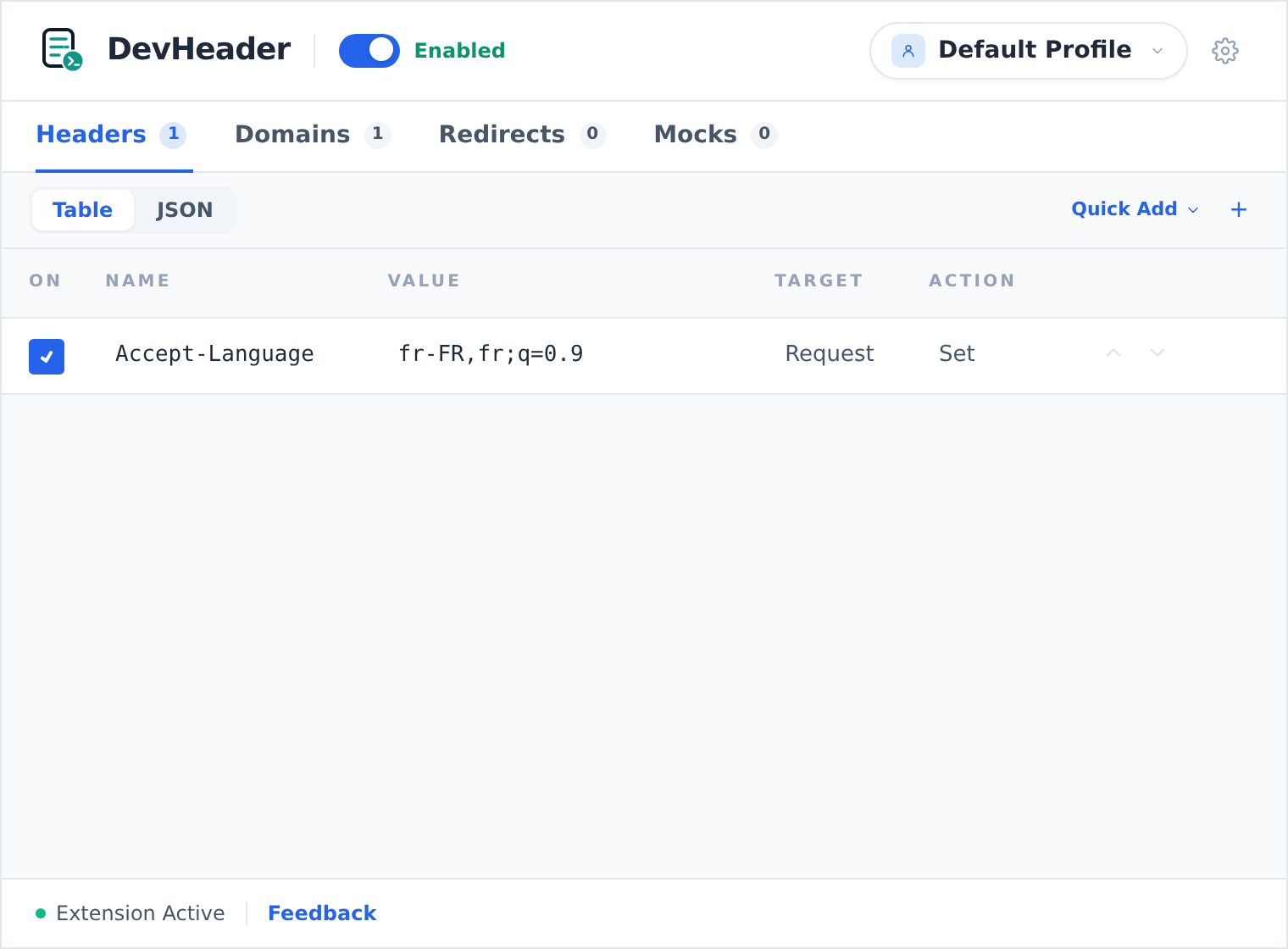
Accept-Language, Valuefr-FR,fr;q=0.9, Target Request, Action Set. - Click Save Changes and reload the site.
To flip between languages quickly, add one rule per language and use the On checkbox, or make a profile per locale and switch profiles from the popup header.
Check that it worked
In Chrome's Network panel, select the document request: Request Headers
shows accept-language: fr-FR,fr;q=0.9. The rule applies to page loads and
fetch calls alike, so an API that localizes its error messages also gets
the header.
Limitations
navigator.language,Intl.DateTimeFormat().resolvedOptions().locale, and similar JavaScript APIs are unchanged.- A cached page may come back in the old language if the server or CDN
doesn't send
Vary: Accept-Language. That's a real bug worth catching.
FAQ
What's the q=0.9? A preference weight. fr-FR,fr;q=0.9,en;q=0.5 means
French (France), then any French, then English.
Can I test right-to-left languages? Yes, the header works the same for
ar or he; the layout is up to your app.
Sources
Try DevHeader
DevHeader is free, keeps every rule on your machine, and only touches sites you grant it access to. Install it from the Chrome Web Store or Edge Add-ons.