 DevHeader
Guides · Headers
"Refused to display in a frame because it set X-Frame-Options"
By Marlon Maniti · Last updated
Short answer: the page you're embedding sent X-Frame-Options: DENY or
SAMEORIGIN, so Chrome won't render it inside your page's <iframe>. Fix
it on the embedded site with a frame-ancestors CSP directive that lists
your site. To test the embed before that ships, remove the header in your
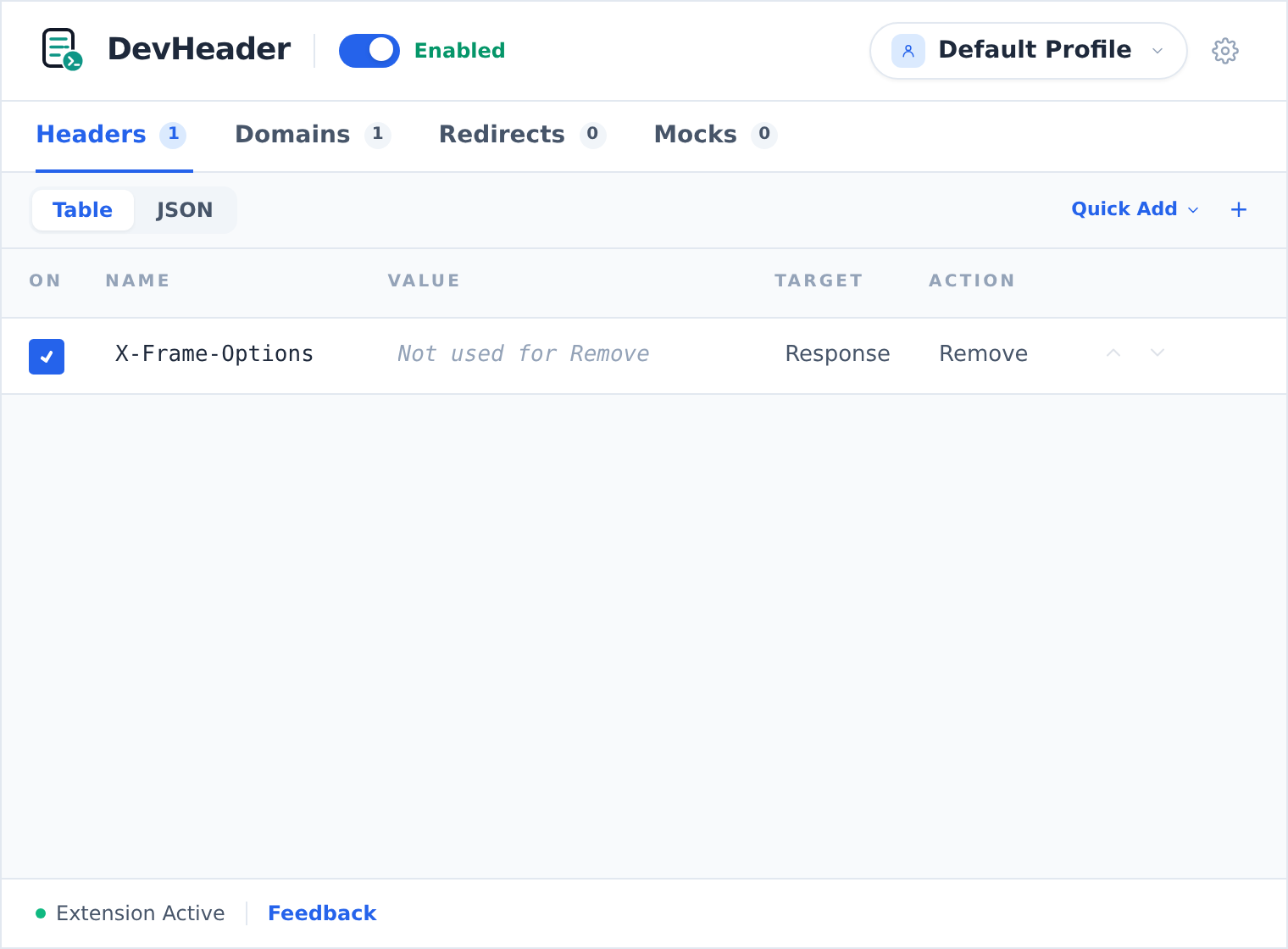
own browser with a DevHeader response header rule: name X-Frame-Options,
Action Remove.
The console message:
Refused to display 'https://app.example.com/' in a frame because it set
'X-Frame-Options' to 'deny'.
Why it happens
X-Frame-Options protects against clickjacking: another site loading yours
invisibly in a frame and tricking users into clicking. DENY blocks all
framing; SAMEORIGIN allows only the same origin. The newer, more flexible
control is the CSP frame-ancestors directive. When a page sends both,
browsers use frame-ancestors and ignore X-Frame-Options.
Fix it on the server
On the site being embedded, allow the sites that may frame it:
Content-Security-Policy: frame-ancestors 'self' https://dashboard.example.com
Then remove X-Frame-Options or keep it for very old browsers. Only allow
origins you trust; this header exists to stop other sites from framing you.
Test the embed in your browser first
Chrome DevTools: Local Overrides can override response headers, but the blocked frame's request is easy to lose in the Network panel, and the override only applies while DevTools is open.
DevHeader:
- Install DevHeader, open the popup, and click Allow access once.
- On the Domains tab, add the framed site's domain (the one sending
the header), for example
app.example.com/*, and save. - On the Headers tab, click + and enter Name
X-Frame-Options, Target Response, Action Remove. The value field is not used. - Click Save Changes and reload the page with the iframe.
DevHeader's tests check this in real Chrome: a cross-origin page that sends
X-Frame-Options: DENY doesn't load in an iframe, and loads once the rule
removes the header.
If the framed page also sends Content-Security-Policy with
frame-ancestors, the frame stays blocked. Add a second rule that sets
Content-Security-Policy to a policy including your site in
frame-ancestors, or removes it while you test.
Limitations
- This changes only your browser. Everyone else still sees the block until the server changes.
- Removing these headers on a site you also use normally removes its clickjacking protection for you. Switch the rule off when done.
- Some apps also check
window.topin JavaScript to refuse framing; header rules can't change that.
FAQ
Can I use ALLOW-FROM? No. X-Frame-Options: ALLOW-FROM is obsolete and
ignored by current browsers. Use frame-ancestors.
Why does it work on localhost but not in production? Usually production adds the header through a CDN or proxy, or the framework only sets it in production builds.
Sources
Try DevHeader
DevHeader is free, keeps every rule on your machine, and only touches sites you grant it access to. Install it from the Chrome Web Store or Edge Add-ons.